An email marketing automation workflow is a set of pre-built, rule-based email sequences that start, branch, pause, or stop according to what a contact does and who they are, rather than when a marketer presses send. In B2B, workflows nurture prospects across long buying cycles and pass them to sales when their behavior shows real intent. This guide sets out a complete framework: triggers, segmentation, scoring, buyer journey templates, decision trees, and sales handoff.
What Are Email Marketing Automation Workflows and Why Do They Matter for B2B?

A workflow is a logic map, not a single email. It contains an entry condition (the trigger), the audience it applies to (the segment), the messages and delays that follow, the branching rules that react to behavior, and an exit condition. Exit might mean a meeting booked, a score threshold reached, or a suppression for inactivity.
How is this different from a manual campaign? A manual campaign is a one-time broadcast to a list at a moment you choose. A workflow is always on and responds to the individual. Three differences matter most:
- Timing: manual sends follow your calendar; workflows follow the buyer’s behavior.
- Relevance: manual sends tend to treat a list as one audience; workflows branch by role, interest, and stage.
- Accountability: a workflow has defined entry, exit, and outcome metrics, so you can improve it over time.
B2B buying involves several stakeholders and often runs for months. We see this clearly in our own world of exhibitions, corporate conferences, and brand activations, where a decision to commission a booth or a launch event involves marketing, procurement, and leadership, usually well before a formal brief exists. Automation keeps the relationship warm and relevant through that stretch without relying on anyone remembering to follow up. For the wider strategic context, our practical guide to B2B email marketing strategy for qualified pipeline covers how workflows fit into a full lead generation program.
What Are the Core Components of Workflow Design: Triggers, Segmentation, and Scoring?
Most workflow failures trace back to treating automation as a content problem when it is a systems problem. We use a simple model we call the Four-Gate Framework. Every contact passes through four gates, and each gate has a single job.
- Gate 1, Trigger: decides when a contact enters a workflow.
- Gate 2, Segment: decides which message variant they receive.
- Gate 3, Score: decides how ready they are, based on fit and engagement.
- Gate 4, Handoff: decides who owns the next step, marketing or sales.
The framework is useful because it separates concerns. If a workflow underperforms, you can diagnose which gate is failing. Wrong people entering points to a trigger problem. Irrelevant content points to segmentation. Sales rejecting leads points to scoring. Leads going cold after handoff points to the handoff gate. Most advice jumps straight to writing email copy and skips this diagnosis, which is why teams end up rewriting subject lines when the real flaw is upstream.
How Do Trigger-Based Workflows Work Across the Buyer Journey?
Trigger-based email campaigns start when a defined event occurs. The question most teams ask is which triggers to use at each prospect stage. The answer is to match the trigger to the strength of the signal. Weak signals start light, educational sequences. Strong signals start personal, high-priority actions.
Which triggers should start sequences at each stage?
| Stage | Example triggers | Workflow response |
|---|---|---|
| Cold prospect | Newsletter signup, gated guide download, event registration, list import with consent | Welcome and education sequence |
| Engaged lead | Repeat visits to service pages, multiple clicks on case studies, webinar attendance | Topic-specific nurture and soft call to action |
| MQL | Score threshold reached, pricing or contact page visit combined with a good-fit profile | Proof-led sequence and sales alert |
| Active opportunity | Deal created, proposal sent, meeting held | Support content, stakeholder enablement, task reminders for sales |
| Dormant or lost | No engagement for 60 to 90 days, closed-lost status | Re-engagement or quiet suppression |
Types of triggers worth knowing
- Behavioral: email clicks, page visits, content downloads, video views.
- Demographic or firmographic: job title, company size, industry, region.
- Time-based: a set number of days since signup, or a fixed number of weeks before an event or contract renewal.
- CRM-based: lifecycle stage changes, deal stage updates, owner reassignment.
- Absence-based: something that did not happen, such as no reply after a proposal.
Absence-based triggers are the most underused. A prospect who opened every email and never clicked, or an opportunity that has been silent for ten days, is a signal in its own right. Choose triggers you can explain in one sentence. If you cannot say why a trigger indicates intent, it probably does not.
How Do I Build Audience Segments for Personalized Automation?
Segmentation answers the question of how to get the right message to the right person at the right time. Effective email segmentation strategies combine who someone is with what they have done, and keep the rules simple enough to maintain. We cover segmentation in depth in a separate article on segmenting, personalizing, and converting at scale, so here we focus on the logic that powers workflows.
The three layers of segmentation logic
- Fit (static or slow-changing): industry, company size, region, role, and buying authority. This tells you whether the contact is worth pursuing.
- Interest (dynamic): the topics, services, and content formats the contact engages with. This tells you what to say.
- Stage (dynamic): where they sit in the journey, from subscriber to opportunity to customer. This tells you how direct to be.
A practical example from our sector: an exhibition organizer, a corporate marketing director planning a product launch, and a sports federation representative all might download the same capabilities overview. Fit separates them by role and event type. Interest separates the one reading about booth design from the one reading about live show production. Stage determines whether they get an educational sequence or an invitation to a planning conversation. Three simple dimensions produce meaningfully different journeys without hundreds of segments.
Segmentation rules that hold up
- Start with no more than five to eight segments. Add more only when you have the content and the data to support them.
- Use dynamic (rule-based) lists rather than manual uploads so contacts move automatically.
- Prevent overlap with a priority order, so a contact never sits in two competing workflows.
- Audit segments quarterly. Job titles, products, and priorities drift.
- Treat consent and data hygiene as part of segmentation. Poor data leads directly to poor deliverability, a topic we address in our guide to SPF, DKIM, DMARC, and inbox placement.
What Are Lead Scoring Rules and How Do I Set Them Up?
Lead scoring assigns numerical values to contacts based on how well they fit your ideal customer profile and how actively they engage. When the total crosses a threshold, the contact is flagged as sales-ready. Lead scoring automation makes this continuous, so the score updates the moment behavior changes.
How to build a scoring model in five steps
- Split the score into two dimensions. Fit score (who they are) and engagement score (what they do). A single combined number hides important differences.
- Assign points from evidence. Review your closed-won deals and identify which attributes and behaviors appeared most often before conversion.
- Add negative scoring. Deduct points for competitor domains, student or personal email addresses, unsubscribes, and prolonged inactivity.
- Apply decay. Reduce engagement points over time so a click from six months ago does not outweigh recent silence.
- Set a threshold jointly with sales. Agree the number, test it, and revise it.
An illustrative starting model
The values below are a starting point to adapt, not a benchmark. Your own conversion data should replace them.
- Decision-maker title: +20. Influencer title: +10.
- Target industry or event category: +15.
- Pricing, services, or contact page visit: +15 each, capped.
- Case study or portfolio view: +8.
- Email click: +3. Email open: +1 (opens are an unreliable signal on their own because of privacy features in modern mail clients).
- Meeting request or reply: +30, which can trigger immediate routing.
- Unsubscribe: remove from nurture. Competitor domain: -50.
The lesson we return to most often is that a high engagement score with a poor fit is a trap. A student who reads every email scores high on activity but will never buy. We recommend requiring both a minimum fit score and a minimum engagement score before a contact becomes an MQL.
What Are Three Buyer Journey Templates: Cold Prospect, MQL, and Active Opportunity?
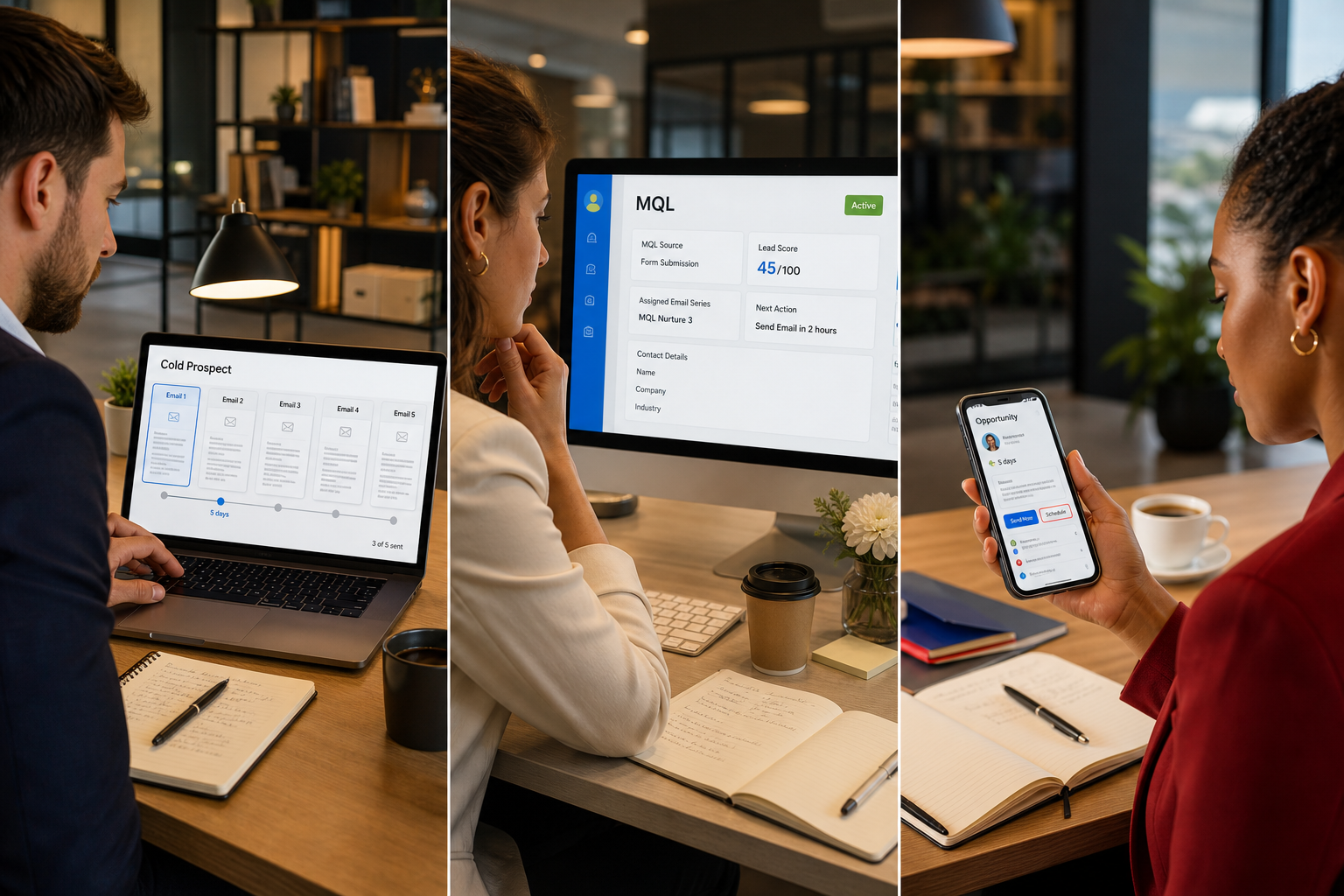
The key components differ across these three workflows because the buyer’s needs differ. A cold prospect needs context and credibility. An MQL needs proof and a clear next step. An active opportunity needs reassurance and momentum. Here is how each is built, with sample timing you can adapt for your own B2B email nurture sequences.
Template 1: Cold prospect workflow (education and trust)
Entry: new subscriber or content download with a fit score above your minimum. Goal: earn attention and learn their interest.
- Day 0: welcome email that delivers the promised asset and sets expectations for what follows.
- Day 3: a useful, non-promotional insight tied to the topic they downloaded.
- Day 7: a short case study showing a concrete outcome and the approach behind it.
- Day 12: a choice email asking which topic matters most. Clicks update interest tags.
- Day 18: a topic-specific resource based on that choice.
- Day 25: a soft invitation, such as a consultation, a webinar, or a planning checklist.
Exit: score reaches MQL threshold (move to Template 2), or no engagement across the sequence (move to a low-frequency newsletter). This is classic drip campaign automation, with the difference that the branching is driven by behavior and not just elapsed time.
Template 2: MQL workflow (proof and conversation)
Entry: fit and engagement thresholds both met. Goal: convert interest into a sales conversation.
- Immediately: internal alert to the assigned sales owner with the contact’s activity summary.
- Within one business day: a plain-text style email from the sales owner (sent through the platform, so it is tracked) referencing the content the contact engaged with.
- Day 3: proof email with a relevant testimonial or portfolio example.
- Day 6: a short answer to the most common objection or question for that segment.
- Day 10: a direct calendar link and a clear description of what the first conversation covers.
Exit: meeting booked (SQL), reply received, or no response by day 14 (return to nurture with a cooled score). This is the core of the MQL to SQL workflow, and its speed matters more than its cleverness.
Template 3: Active opportunity workflow (momentum and enablement)
Entry: deal created in the CRM. Goal: support the buying committee and prevent stalls.
- After first meeting: summary email with agreed next steps and relevant materials.
- After proposal: a short guide to reading the proposal, plus material that helps the champion justify the decision internally.
- Day 5 of silence: task reminder to sales, with a suggested personal follow-up.
- Day 10 of silence: a different-angle email to a secondary stakeholder, where appropriate.
- Closed-won: onboarding sequence. Closed-lost: a respectful check-in after a set period.
In this stage, automation supports the salesperson rather than replacing them. Fully automated messages to an active opportunity often feel impersonal at exactly the moment relationships matter most.
How Do Decision Trees and Workflow Mapping Help With Complex Automations?
As workflows multiply, text descriptions stop being enough. A decision tree makes branching logic visible so that marketing, sales, and operations all read the same map. Draw it before you build it in the tool.
A simple workflow decision tree
- Is the contact consented and deliverable?
- No: suppress. Stop.
- Yes: continue.
- Is the fit score above the minimum?
- No: place in low-frequency newsletter only.
- Yes: continue.
- Is the contact already an open opportunity or customer?
- Yes: exclude from prospect nurture; route to opportunity or customer workflow.
- No: continue.
- Has the engagement score reached the MQL threshold?
- Yes: start the MQL workflow and alert sales.
- No: continue the cold prospect workflow.
- Has the contact been inactive for 60 days or more?
- Yes: run a two-email re-engagement; if there is no response, suppress from regular sends.
- No: continue.
Mapping best practices
- Give every workflow one owner, one goal, and one primary metric.
- Document entry and exit rules on the same page as the map.
- Build a global suppression rule first. It protects against duplicate sends and conflicting messages.
- Name workflows consistently, for example “Prospect | Cold | Guide download | v2”.
When comparing marketing automation platform workflows, judge a tool by how clearly it shows branching, how reliably it syncs with your CRM, and how easily you can see why a contact took a particular path. Our email platform overview is a useful reference point if you are evaluating options for enterprise-scale sending and automation.
When Should You Hand Off a Lead to Sales, and What Criteria Should You Use?
Hand off a lead when it meets both fit and engagement thresholds and shows at least one high-intent action, such as a meeting request, a pricing or contact page visit, or a reply to an email. The sales handoff process should be specific, fast, and two-way.
A handoff checklist
- Fit: the contact matches your ideal customer profile on role, company size, industry, and region.
- Engagement: the score has crossed the agreed threshold, with recent activity inside the last 14 to 30 days.
- Intent: at least one high-intent action has occurred, such as a demo request, a pricing page visit, or a direct reply.
- Context: the CRM record shows the content consumed, the emails opened, the pages viewed, and the workflow stage.
- Ownership: a named sales owner is assigned automatically, with a backup if that person is unavailable.
- Service level: sales has agreed to a response window, ideally within one business day for high-intent actions and sooner for meeting requests.
What happens after the handoff
Handoff is not the end of the workflow. When a lead moves to sales, remove the contact from nurture sends that could contradict the sales conversation, and create a task in the CRM with a due date. If sales does not act within the agreed window, trigger an internal alert to the team lead. If sales rejects the lead, require a reason code, such as “wrong role,” “no budget cycle,” or “not ready,” and route the contact back into a suitable nurture track.
That feedback loop is where most of the learning happens. Review rejected leads monthly and compare them with accepted ones. If a large share of rejections cite the same reason, the fix almost always lives in your scoring rules or your segment definitions, not in the sales team’s follow-up.
What most handoff advice gets wrong
Most guidance treats handoff as a single score threshold. In our experience, a score alone tells you that someone has been active, not that someone is ready. A contact who opens twelve newsletters may score highly and still have no buying intent, while a contact with two visits to a pricing page and a reply may be ready today. Pairing fit, engagement, and a deliberate intent signal produces a cleaner pipeline and a better relationship between marketing and sales.
What Are the Most Common Email Automation Workflow Mistakes, and How Do You Avoid Them?
The most common mistakes in email marketing automation workflows are launching without clear entry and exit rules, over-segmenting before the data supports it, scoring on activity alone, and never reviewing workflows after launch. Each is preventable with a short, disciplined set of habits.
- No exit rules. Contacts who book a meeting or become customers keep receiving prospecting emails. Fix: define exit conditions before you build the first email, and test them with a sample contact.
- Overlapping workflows. One contact qualifies for three workflows and receives three messages in a day. Fix: set a global suppression rule and a priority order, so the most relevant workflow wins.
- Scoring on opens alone. Opens are increasingly unreliable because of mail privacy features that preload images. Fix: weight clicks, page visits, replies, and form submissions more heavily than opens.
- Too many segments too early. Twenty segments with a handful of contacts each create maintenance work without producing better results. Fix: start with three to five segments tied to real differences in message, then split further when volume justifies it.
- Generic copy inside a clever structure. A well-branched workflow cannot rescue emails that say nothing specific to the reader’s situation. Fix: write each email for one segment, one stage, and one action.
- Unclear sender and reply handling. Messages from a no-reply address discourage the very replies that signal intent. Fix: send from a monitored address and route replies into the CRM.
- Weak data hygiene. Duplicate records, outdated job titles, and inconsistent field values break segmentation silently. Fix: standardize key fields and audit them every quarter.
- Set and forget. Workflows drift as products, audiences, and priorities change. Fix: schedule a review every quarter covering entry volume, step-level drop-off, and conversion to the next stage.
A simple pre-launch test
Before any workflow goes live, run three test contacts through it: one who engages fully, one who does nothing, and one who qualifies for a different workflow. If each follows the path you expect and exits cleanly, the logic is sound. The same principle guides how we approach live events, from concept to execution: we rehearse the unlikely scenarios before the day, because that is where precision shows.
Related reading: 7 Essential Email Templates Every Business Needs
Frequently asked questions
What is an email automation workflow?
An email automation workflow is a set of emails and decisions that run automatically when a contact meets defined conditions, such as filling out a form or visiting a key page. It uses triggers, segmentation, and rules to deliver the right message at the right time.
How many emails should a B2B nurture workflow include?
Most B2B nurture workflows work well with four to seven emails over three to six weeks, spaced three to seven days apart. The right number depends on your sales cycle and on how clearly each email serves a distinct purpose.
What is the difference between a trigger and a segment?
A trigger is an event that starts a workflow, such as a download or a demo request. A segment is a group of contacts who share traits or behaviors, such as industry, role, or recent activity. Triggers decide when a message is sent, and segments decide who receives which version.
How do you decide when a lead is sales-ready?
A lead is sales-ready when it meets your fit criteria, reaches your engagement score threshold, and performs at least one high-intent action, such as requesting a meeting or visiting a pricing page. Agree on these criteria with sales in writing.
How often should you review automation workflows?
Review each workflow at least quarterly, and sooner after a change to your product, audience, or scoring model. Check entry volume, step-level engagement, exit reasons, and conversion to the next stage.
Should every workflow end with a sales handoff?
No. Some workflows are designed for onboarding, event follow-up, re-engagement, or customer education. Each workflow should have one clear goal, and handoff to sales is only appropriate when that goal is a sales conversation.
Talk to Our Team About Building Workflows That Perform
Effective email marketing automation workflows are built on clear triggers, honest segmentation, scoring that reflects real intent, and a handoff process that sales trusts. None of these elements is complicated alone, but combining them well takes careful planning and steady review. We bring the same meticulous attention to detail to these systems that we bring to every event, and we are glad to discuss your goals, your audience, and the journey you want your prospects to take. If you would like a second opinion on a workflow or help mapping a new one, our team is ready to talk.
Download our free Email Automation Workflow Decision Tree template and subscribe to our strategy insights to stay ahead of B2B automation trends.