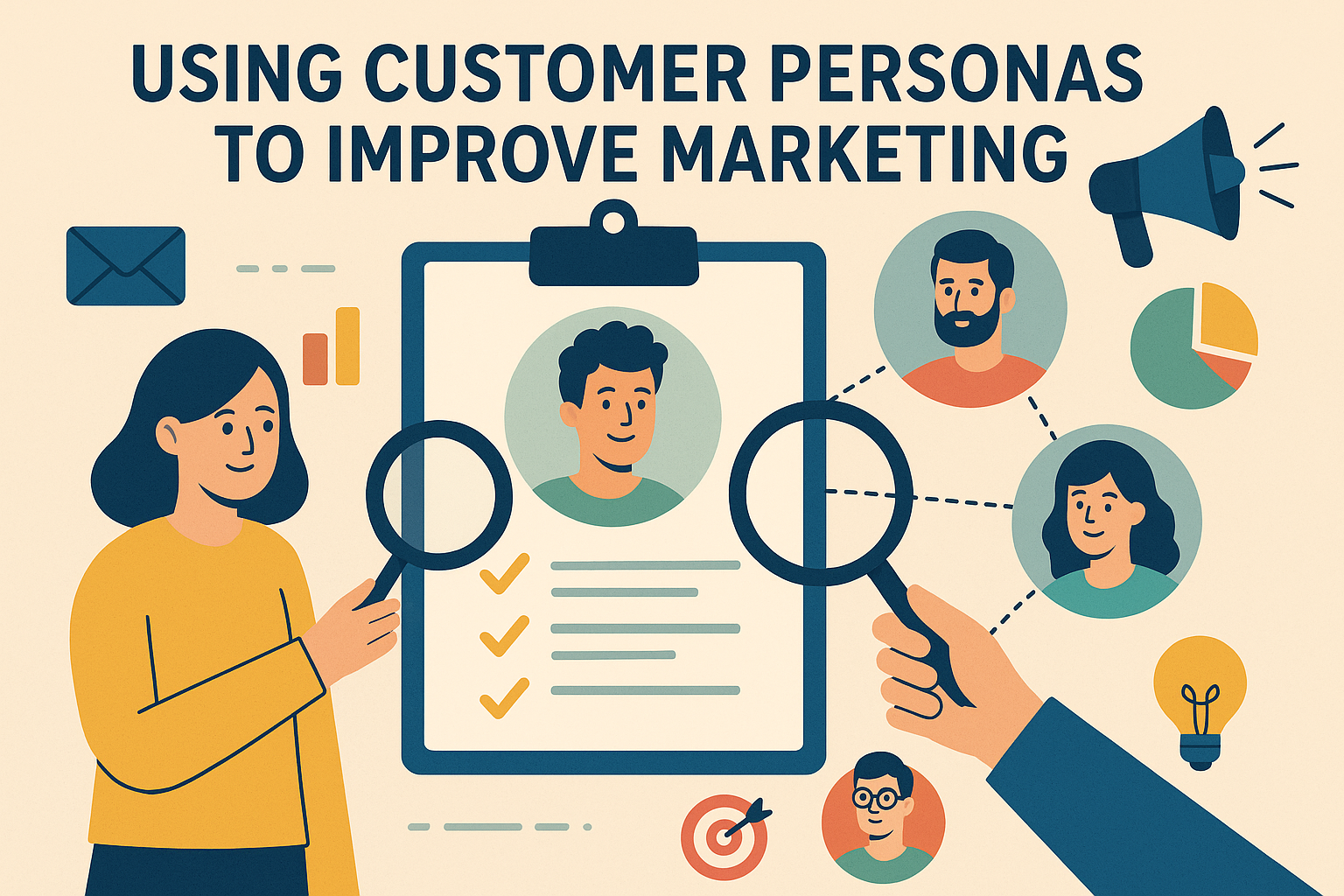
Using Customer Personas to Improve Marketing Strategy and Results

In the age of hyper-personalization and data-driven decision-making, generic marketing messages no longer cut it. Brands need to speak directly to their audience — not just as a group, but as individual segments with specific needs, behaviors, and goals. That’s where customer personas come in.

Customer personas, also known as buyer personas, are fictional yet research-based profiles that represent your ideal customers. When used effectively, they help marketers craft targeted campaigns, refine messaging, and build stronger relationships with customers. In this article, we’ll explore how to build and apply customer personas to boost your marketing performance.


What Are Customer Personas?

A customer persona is a semi-fictional representation of your ideal customer based on real data and educated assumptions. It includes demographic details, motivations, challenges, behaviors, and preferences.

For example: “Freelance Fiona” is a 32-year-old graphic designer who values flexibility, uses Instagram to find inspiration, and prefers email newsletters over sales calls.

Effective personas answer questions like:

  • Who is the customer?
  • What problems are they trying to solve?
  • What influences their buying decisions?
  • Where do they spend time online?

Why Are Customer Personas Important?

1. More Precise Targeting

Customer personas let you speak to your audience’s exact needs, increasing relevance and engagement. Your messaging becomes less about guessing and more about delivering value.

2. Improved Product-Market Fit

Understanding your personas ensures you’re creating products and services that solve real problems, not assumed ones.

3. Better Content Marketing

Personas guide content creation — you’ll know which blog topics resonate, what social channels to use, and how to structure your message for maximum impact.

4. Enhanced Customer Journey Mapping

Personas provide clarity on how different users interact with your brand at each touchpoint, helping you tailor campaigns across the buyer’s journey.


How to Create a Customer Persona

1. Gather Data

Use:

  • CRM and sales data
  • Google Analytics
  • Customer surveys
  • Social media insights
  • Interviews with existing clients

2. Segment Your Audience

Group your customers by common characteristics — industry, role, behavior, or challenges.

3. Build the Persona Profile

Include:

  • Name and photo (for realism)
  • Age, location, job title
  • Goals and pain points
  • Preferred communication channels
  • Buying behavior and objections

4. Validate with Stakeholders

Align your personas with your sales, customer support, and product teams for a 360-degree view.


Using Personas in Your Marketing Strategy

  1. Personalize Email Campaigns
    Use personas to create segmented email lists, personalized subject lines, and content that aligns with user goals.
  2. Optimize Ad Targeting
    Run paid ads based on persona demographics, locations, and online behavior to reduce ad spend waste.
  3. Tailor Social Media Content
    If “Entrepreneur Eric” hangs out on LinkedIn and values thought leadership, your posts should reflect that tone and platform.
  4. Refine Website Messaging
    Speak directly to your primary personas on landing pages, using words and visuals that match their expectations.
  5. Shape New Product Development
    Customer feedback from personas can inform new features, pricing models, or service offerings.

FAQs

1. How many customer personas should a company create?
Most companies start with 3–5 key personas. Enough to represent your main audience segments without becoming overwhelming.

2. How often should personas be updated?
At least once a year or whenever there are significant shifts in customer behavior, market trends, or your business model.

3. Can small businesses benefit from using customer personas?
Absolutely. Even one well-defined persona can drastically improve the effectiveness of a small business’s marketing.

4. Are customer personas only useful for B2C companies?
No. B2B businesses also benefit by tailoring messaging to different roles, industries, and company sizes.

5. What’s the difference between a customer persona and a target market?
A target market is a broad segment (e.g., “millennial professionals”), while a persona narrows it down to a specific, relatable character within that segment.


Final Thoughts

Customer personas are more than just marketing fluff — they’re strategic tools that empower businesses to make smarter, more informed decisions. When you understand your audience deeply, every campaign, message, and offer becomes more impactful.Customer Personas
case studies

See More Case Studies

B2B email marketing strategy for lead generation: marketer reviewing email campaign performance dashboard

B2B Email Marketing Strategy for Lead Generation: A Practical Guide to Qualified Pipeline

Email remains one of the most reliable channels for generating B2B leads, but only when it is run as a system rather than a series of blasts. A strong B2B email marketing strategy for lead generation connects precise targeting, relevant content, automation, and sales alignment so that every message moves a buyer one step closer to a conversation. This guide walks through each component, from defining who you are emailing to measuring whether those emails produce revenue. Understanding B2B Email Marketing vs. B2C: Key Differences for Lead Gen The mechanics of sending email are identical in B2B and B2C. The buying context is not. Understanding the differences shapes every decision that follows. Longer cycles and more stakeholders. A consumer may buy after a single promotional email. A B2B purchase often involves three to ten decision-makers, a budget approval process, and a sales cycle measured in months. Your emails must serve multiple roles, such as the technical evaluator, the financial approver, and the end user, often with different messages. Logic over impulse. B2B buyers justify decisions with ROI, risk reduction, and efficiency gains. Content that demonstrates measurable outcomes, such as case studies, benchmarks, and process breakdowns, outperforms urgency-driven discounts. Lower volume, higher value. B2B lists are smaller, and each contact may represent tens of thousands of dollars in lifetime value. That makes relevance and deliverability more important than raw send volume. The goal is qualification, not just conversion. In B2C, the email often closes the sale. In B2B, email’s job is to create and qualify demand, then hand a sales-ready lead to a human. That shift in purpose is the foundation of everything below. Building Your Ideal Customer Profile (ICP) for Email Targeting Email performance is capped by targeting quality. Before writing a single subject line, define the accounts and people most likely to buy, stay, and expand. Start with your best existing customers. Analyze closed-won deals and retained accounts for patterns in: Firmographics: industry, company size, revenue, geography, and growth stage. Technographics: the tools and platforms they already use, which signal fit and integration needs. Buying committee roles: the titles that initiate, influence, and approve purchases. Triggers and pain points: funding rounds, leadership changes, compliance deadlines, or expansion that create urgency. Also identify negative signals: segments that churn quickly, demand heavy discounts, or never progress past the first call. Excluding poor-fit contacts protects sender reputation and sales time. Turn the ICP into one to three buyer personas tied to specific problems. Each persona should have a documented primary challenge, preferred content format, and common objections. These documents become the briefing material for every campaign. Email List Building Strategies: Quality Over Quantity for B2B Email list quality for business leads matters more than list size. A 2,000-contact list of well-matched prospects will outperform a 20,000-contact list of loosely relevant addresses, and it will protect your deliverability. Offer gated content that earns the subscription. Original research, templates, calculators, benchmark reports, and webinars attract people with a genuine problem. Generic newsletters sign-ups tend to attract students, competitors, and job seekers. Use progressive profiling. Keep initial forms short, then collect job role, company size, and challenges over subsequent interactions. This improves conversion on forms while still building a rich record. Capture intent signals. Pricing page visits, demo requests, and content downloads reveal readiness better than demographic data alone. Sync website behavior to your email platform. Use cold outreach carefully. Cold email outreach for B2B can be effective when it is targeted, compliant, and relevant. Build prospect lists from ICP criteria, verify addresses, and respect regional rules such as GDPR, CAN-SPAM, and CASL, including a clear opt-out and a legitimate-interest rationale where required. Never buy bulk lists; they damage reputation and rarely match your ICP. Maintain hygiene. Verify addresses at the point of capture, remove hard bounces immediately, and sunset contacts who have not engaged in six to twelve months, perhaps after a re-engagement attempt. Segmentation and Personalization Tactics That Drive Lead Qualification Email segmentation for B2B sales is how you move from broadcasting to conversation. Segmented campaigns consistently deliver higher engagement and better lead quality because the message matches the reader’s situation. How do you segment B2B email lists to improve lead quality and relevance? Layer several dimensions rather than relying on one: Firmographic: industry, company size, and region determine which examples and proof points to use. Role and seniority: executives want outcomes and risk; practitioners want workflows and features. Funnel stage: subscribers, marketing-qualified leads, opportunities, and customers need different content and calls to action. Behavior: topics clicked, assets downloaded, webinars attended, and pages visited reveal interests and intent. Account-level status: whether the company is a target account, an active opportunity, or an existing client. Personalization should go beyond a first name token. Reference the prospect’s industry challenge, a relevant case study from a similar company, or the specific resource they downloaded. Dynamic content blocks let you adapt a single email for several segments without building separate campaigns. Keep personalization genuine; referencing data a prospect never shared can feel intrusive. Email Automation Workflows for Lead Nurturing and Scoring B2B email automation workflows keep prospects moving through long sales cycles without constant manual effort. B2B lead nurturing email campaigns work best when triggered by behavior rather than sent on a fixed calendar alone. What automation workflows should B2B companies use to nurture leads through the sales cycle? These are the core ones: Welcome and onboarding series: three to five emails introducing your point of view, best content, and a low-friction next step. Content-triggered nurture: after a download, send related resources that deepen the topic and gradually introduce your solution. High-intent follow-up: a pricing page visit or demo page view triggers a personalized email and an alert to sales. Post-webinar sequence: separate tracks for attendees and no-shows, with the recording and a relevant offer. Re-engagement: a short series for dormant leads, ending with a clear opt-in-or-leave choice. Opportunity support: case studies, ROI materials, and objection-handling content for deals in progress. Customer expansion: onboarding tips, adoption

Learn more
Developer workspace with Next Gen Websites & app on Web, iOS and Android devices

Next Gen Websites & Apps (Web, iOS, Android): A Practical Guide to Building Modern Digital Products

Customers no longer think in terms of “the website” and “the app.” They move between a phone, a laptop, a tablet and sometimes a watch or a car dashboard, and they expect every touchpoint to remember who they are, load instantly and feel native to the device in their hand. Businesses that meet this expectation are building next generation websites and apps: connected, fast, intelligent products that span the web, iOS and Android as one coherent experience. This guide explains what makes a digital product “next gen,” why the three major platforms must be planned together, which technologies matter, how to weigh native against cross-platform development, and how to choose an approach that fits your budget, timeline and goals. What Defines Next Generation Websites and Apps The simplest answer to the question “what separates next generation apps and websites from traditional digital products?” is this: traditional products are built as separate, static channels, while next gen products are built as a single, adaptive system. A traditional site is a set of pages published for desktops, and a traditional app is often a thin wrapper around the same content. A next gen product is designed around data, context and continuous improvement. Several characteristics recur across the best examples: Mobile-first architecture: Layouts, APIs, and data flows are designed for constrained screens, variable networks and touch input first, then scaled up to larger displays. Performance as a feature: Pages and screens respond almost instantly, even on mid-range devices and weak connections. Personalization: Content, search results, and recommendations adapt to behavior, location, and preferences. Offline and resilient behavior: Core tasks keep working when connectivity drops, and sync once it returns. API-driven design: A shared backend serves web, iOS, and Android, so features ship everywhere at once. Continuous delivery: Updates are small, frequent, measured, and reversible rather than large annual redesigns. Accessibility and security by default: Inclusive design and privacy protections are part of the foundation, not an afterthought. In short, next gen is less about a particular technology and more about a mindset: build once around the user’s journey, then deliver it intelligently to every surface. Cross-Platform Development: Why Web, iOS, and Android Matter Together Each platform plays a distinct role. The web is the most discoverable: search engines, social links and email campaigns all land there. iOS and Android deliver deeper engagement through push notifications, device sensors, biometric login, widgets and home-screen presence. Treating any one of them in isolation leaves gaps in the customer journey. Consider a retail example. A shopper discovers a product through a search result (web), saves it to a wishlist on their phone (app), and completes checkout on a laptop days later. If the wishlist, account, pricing and promotions are not consistent across all three, the experience breaks and the sale may be lost. This is the essence of an omnichannel user experience: continuity of identity, data and design across every channel. Planning the three platforms together also reduces cost over time. Shared design systems, shared APIs, shared analytics and shared content models mean that a pricing change, a new feature or a brand update is implemented once and propagated everywhere. This is a core component of any serious digital transformation strategy: the goal is not just to digitize processes, but to unify them so that data and experiences flow freely between channels. Market realities reinforce this. iOS and Android together cover essentially the entire mobile market, with Android dominant globally and iOS often stronger in North America, Western Europe, Japan and Australia, and among higher-spending users. Ignoring either platform can mean ignoring a large share of your audience, while ignoring the web means losing search traffic and frictionless first contact. Modern Frameworks and Technologies Powering Next Gen Digital Products The tooling landscape has matured significantly. Teams can now choose from several proven approaches, each with different trade-offs. Web technologies On the web, component-based libraries and meta-frameworks such as React with Next.js, Vue with Nuxt, Angular, Svelte and SvelteKit dominate. They support server-side rendering, static generation and edge rendering, which improve both speed and search visibility. Combined with responsive web design, using fluid grids, flexible images, container queries and sensible breakpoints, these tools let a single codebase adapt gracefully from a phone to an ultrawide monitor. Progressive web apps How do progressive web apps (PWAs) fit into a multi-platform strategy? They act as a bridge. A PWA is a website enhanced with a service worker, a web app manifest and HTTPS, which together enable offline access, installability, background sync and, on supported platforms, push notifications. PWAs are an excellent fit when: You want app-like behavior without app store friction or review delays. Your audience arrives primarily through search or links. Your budget favors a single codebase and fast iteration. PWAs do have limits. On iOS, access to some hardware features and background capabilities is more restricted than in a native app, and app store discoverability is lost unless the PWA is wrapped. For many content, commerce and productivity products, however, a PWA is a smart first step or a strong complement to native apps. Cross-platform mobile frameworks Cross-platform app development lets teams share most of their code across iOS and Android. Two frameworks lead the field: React Native development: Backed by Meta and built on JavaScript and TypeScript, React Native renders real native UI components. It is a natural fit for teams that already use React on the web, since developers, patterns and even some business logic can be shared. Its ecosystem is large, and its newer architecture reduces the old bridge overhead. Flutter framework: Backed by Google and built on Dart, Flutter draws its own UI with a high-performance rendering engine, giving pixel-level control and highly consistent visuals across iOS, Android, web and desktop. It is popular for brand-heavy interfaces and custom animation. Kotlin Multiplatform is another rising option, allowing shared business logic in Kotlin while keeping fully native UI on each platform. Native toolkits Native mobile development uses Swift and SwiftUI for iOS and Kotlin

Learn more

How to Use Data to Improve Creative Briefs

Creative briefs are the blueprint for high-performing marketing campaigns. They serve as the critical link between strategy and execution, aligning marketers, designers, copywriters, and other creatives toward a common goal. But in today’s performance-driven marketing landscape, traditional briefs often fall short. Why? Because they’re based more on assumptions than hard evidence. Enter the age of data-driven creative briefs a smarter, sharper approach that brings together creative intuition and analytical insights to fuel high-impact advertising. Whether you’re managing a DTC brand, an e-commerce store, or a creative agency, using data to write your creative briefs is no longer optional it’s essential. In this guide, we’ll dive deep into how you can leverage ad performance data, audience insights, and conversion metrics to elevate your creative strategy from good to exceptional. Why Traditional Creative Briefs Fall Short Creative briefs have been a cornerstone of marketing for decades. They outline the campaign’s objectives, target audience, tone of voice, and deliverables. However, traditional briefs often rely on generalizations, gut instincts, and outdated personas. Here’s where they go wrong: The result? Creative teams operate in silos. Campaigns miss the mark. Ad fatigue sets in quickly. And budgets burn without measurable ROI. What Is a Data-Driven Creative Brief? A data-driven creative brief uses real-time, empirical data to inform every part of the creative process. From audience segmentation to messaging angles, visuals to CTAs data serves as the foundation for decisionmaking. Key characteristics of data-driven creative briefs: This approach enables creative teams to produce high-converting, resonant campaigns while reducing guesswork and creative burnout. Benefits of Using Data in Creative Briefs 1. Better Alignment Between Teams When everyone works from the same source of truth performance data it’s easier to align on goals and expectations. This reduces friction between strategy, media buying, and creative teams. 2. Improved Ad Performance Using data to define value propositions, angles, and CTAs leads to more engaging content. You already know what works you’re just scaling it. 3. Faster Testing and Iteration With a clear picture of what performs, you can build a creative testing roadmap. This saves time and budget by avoiding low-potential ideas. 4. Stronger Brand-Consumer Fit By analyzing real customer behavior, you craft messages that reflect their desires, pain points, and language leading to higher conversion rates. What Data Should You Include in a Creative Brief? To build an effective data-driven creative brief, you need to go beyond surface-level numbers. Here’s the essential data to include: 1. Campaign Goals & KPIs Start with the “why.” Define clear, measurable goals. 2. Audience Data Include both quantitative and qualitative insights: 🔍 Pro Tip: Use tools like Meta Audience Insights, Google Analytics 4, and Klaviyo to get granular. 3. Messaging Insights Pull learnings from previous high-performing campaigns: 4. Creative Performance Data Include performance of different creative formats: 5. Channel-Specific Data Break down performance by channel to tailor creatives accordingly: 6. Competitor Creative Intelligence Use platforms like Meta Ad Library, Semrush, or SimilarWeb to analyze: The Anatomy of a Data Driven Creative Brief Here’s a simple framework you can follow: 1. Overview 2. Campaign Objective 3. Audience Profile (with Data) 4. Core Messaging 5. Content Format 6. Design Direction 7. Offer & CTA 8. Testing Plan Example: Before vs. After (Traditional vs. Data-Driven Brief) Traditional Brief Data-Driven Brief Target Audience: Young professionals Target: Men 25–34 in Tier 1 cities, interested in fitness & tech. Highest ROAS in Delhi. Goal: Drive awareness Goal: Increase CTR from 1.2% to 2.5%, lower CPL by 20% Message: “Stay Healthy” Hook: “This smart band helps you sleep 2x better” previously best CTR Format: Video ad Format: 15s UGC video highest ROAS last month CTA: “Buy Now” CTA: “Get Your Free Trial Today” 40% more conversions than “Buy Now” How to Collect the Right Data for Creative Briefs 1. Use Ad Manager Platforms 2. Tap Into CRM & Email Platforms 3. Conduct Surveys & Interviews 4. Use Heatmaps and Session Recordings 5. Analyze Onsite Behavior Implementing a Feedback Loop A key part of a data-driven creative process is the feedback loop. Don’t just build a brief once. Update it consistently with learnings from live campaigns. Set Up a Debriefing Ritual: This continuous improvement cycle leads to smarter briefs and better campaigns over time. Mistakes to Avoid The Future of Creative Briefs: AI and Predictive Insights AI tools like Meta’s Advantage+ Creative, Marpipe, or CreativeX are now integrating performance data to automatically generate creative recommendations. Some platforms even suggest the best copy variants or visuals based on past data. In the near future, machine-generated creative briefs could become standard but they will still need a strategic, human touch. Creative excellence no longer belongs only to gut instincts or brainstorming whiteboards. In a world where brands live and die by ROAS, creative performance is a data game. A data-driven creative brief isn’t just a document. It’s a strategic weapon that turns insights into impact helping teams align faster, iterate better, and scale smarter. As brands compete for increasingly fragmented attention, those who combine creative intuition with data intelligence will win. So the next time you’re about to brief your creative team, ask:“What does the data say?” FAQs 1. What is a creative brief? A creative brief is a strategic document that outlines the key details of a marketing or advertising campaign. It includes objectives, target audience, messaging, format, and tone to guide the creative team. 2. How does data improve a creative brief? Data ensures your brief is based on real performance insights instead of assumptions. This leads to more accurate targeting, stronger messaging, and higher-performing creative assets. 3. What are the top metrics to include in a creative brief? Top metrics include: 4. How often should you update your creative briefs? You should revisit and update creative briefs after each major campaign or at least quarterly, depending on how frequently your ads are tested and launched. 5. Can small businesses use data-driven creative briefs? Absolutely. Even small brands can collect performance insights from Facebook Ads Manager, Google Analytics, or Shopify reports.

Learn more
Contact us

Full-Service Data & Email Marketing Agency

Turn your marketing communications into a sales powerhouse and increase revenue with full-service email marketing.

Email us at: info@connectdigitalventures.com

Your benefits:

What happens next?

1

We Schedule a call at your convenience 

2

We do a discovery and consulting meting 

3

We prepare a proposal 

Request a Free Sample/Campaign Demo